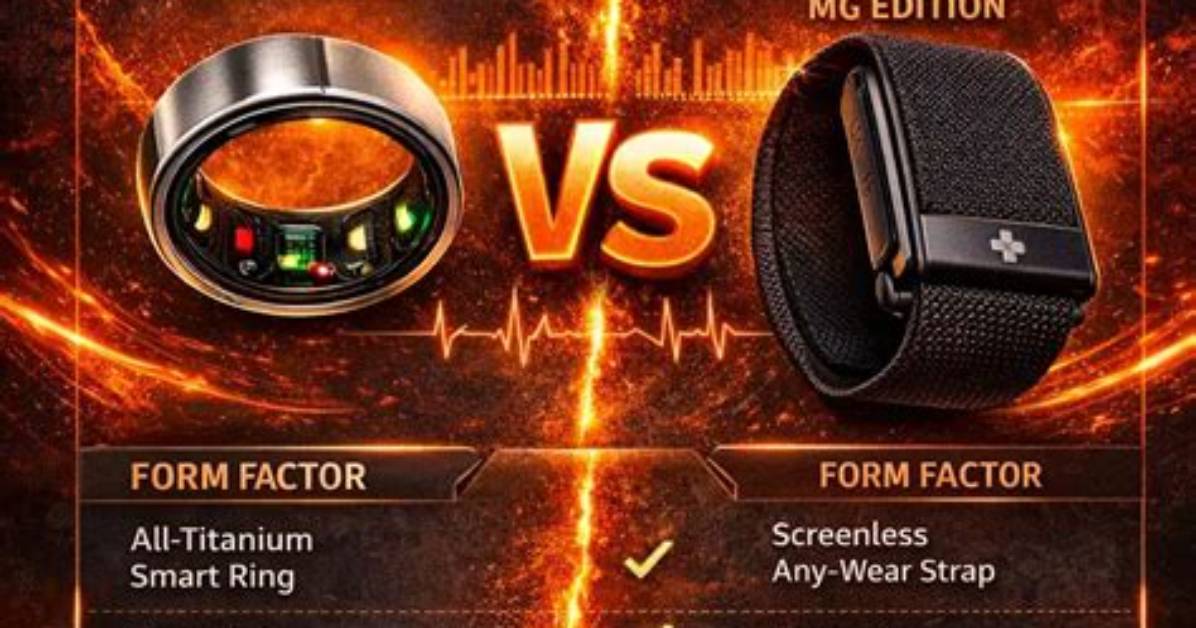
Do you want a health, wellness, and fitness tracker that doesn’t have a screen? Then you would be wise to consider the Oura Ring and the Whoop 4.0, as neither will bother you with notifications or show you the time. But both have extensive health-tracking capabilities and in-depth apps, all for a similar price.
I’ve worn the Oura Ring for more than a year now, and have used the Whoop 4.0 wristband for about six weeks, so I’ve got a good idea of how the two compare. Which should you spend your money on? Let’s find out.
Wearing the Oura Ring and Whoop 4.0
I wear the Oura Ring on the middle finger of my right hand, and the Whoop 4.0 on the same wrist. For reference, I’m wearing the third-generation Oura Ring Horizon model. Wearing smart jewelry like the Oura Ring is the ultimate in convenience, as once you’re used to it on your finger, you’ll mostly forget it’s there (it is just slightly larger and thicker than a non-smart ring, but you will feel it between your fingers for the first few days). I wear mine 24 hours a day and very rarely find it bothersome. When I do, it’s doing things that require me to grip a solid object like a dumbbell, or when performing tasks where I don’t want to risk any damage, like washing a car.
The Whoop 4.0 avoids these situations as it’s on my wrist. It’s very lightweight at 27 grams, but that’s still heavier than the 6-gram Oura Ring. The fabric strap never gets sweaty and hasn’t irritated my skin either, and I also wear it 24 hours a day. It seems to dry out very quickly, too, so even when it gets splashed, I’ve never had to take it off because it became itchy. The actual “brain” of the Whoop 4.0 is encased in metal and is quite thick, although I have not found it gets in the way of shirt sleeves more than most traditional watches. You can also purchase specially designed undergarments to hold the Whoop.
In addition to being very different products — a ring and a wristband — they also have very different styles. The Whoop 4.0 is most definitely a sporty product, and although it can hide under a cuff, when it’s exposed, it has a very casual look. The Oura Ring is not sporty. It goes with everything and actually does a good job of blending in, so it never becomes the center of attention. Yes, the polished silver is quite eye-catching, but from a distance, it just looks like a normal ring. How each looks is something to consider depending on your own personal style.
It’s this mix of convenience and unobtrusive style that makes me prefer the Oura Ring to the Whoop 4.0. I can wear it with everything and it looks great — plus. it never fights for attention when I’m wearing a watch on my left wrist. The Whoop 4.0 does, as it’s obvious I’m wearing something on both wrists. Which you prefer will come down to personal preference, but the good thing here is that neither is annoying or uncomfortable to wear long-term.
What about the sensors, battery, and charging?
On the back of the Whoop 4.0 is a five-LED health sensor with red, green, and infrared light that tracks your heart rate and blood oxygen levels, plus your skin temperature. Through the data collected, it will also show heart rate variability (HRV), resting heart rate (RHR), and respiratory rate. The third-generation Oura Ring uses LEDs with red, green, and infrared light. It measures heart rate, blood oxygen, and skin temperature, plus shows RHR and HRV.
Both have menstrual tracking systems, but the Oura Ring includes period prediction and also links with the Natural Cycles app, where body temperature data can be used for greater accuracy. It’s a manual system on the Whoop 4.0 using the Whoop Journal feature, and there’s no partnership with Natural Cycles or another app. However, both the Oura Ring and the Whoop 4.0 integrate with Strava for exercise tracking.
The Whoop 4.0’s charging system is unnecessarily complicated. It comes with a portable battery pack that slides onto the Whoop’s body after it has been charged separately, so the battery can be topped up without removing the band. However, this setup is large and cumbersome. It’s supposed to make it easy to use when out and about, but I’ve never felt the need to do this. If the battery pack gets lost, you can’t charge the Whoop band either, so it’s risky too. Alternatively, it can be left plugged into a wall charger and attached to the Whoop.
It takes a couple of hours to fully charge, and the battery lasts about four days. If you track a lot of workouts, then you’ll get even less time out of it. The charging system and battery life are pretty poor for a device that doesn’t have a screen.
The Oura Ring’s battery lasts longer, between five and seven days, depending on your usage. You put the ring on a special plinth to charge it, and this works really well. I usually put it on charge when I’m in the shower, keeping it topped up, so I never have to fully charge it.
The neat, sensible, and logical way of charging the Oura Ring is a big benefit. And while it provides the same level of health tracking through its sensor array as the Whoop 4.0, it beats its rical with Natural Cycles integration — which may be very helpful to some.

